E-Business Bridge
Created: Spring 2001
Online: Currently
Purpose: Create a way to showcase university student's projects online and a search function to search though those projects.
|
|
|
The E-Business Bridge (eBB) was proposed by Professor Prabhudev Konana at the June 2000 meeting of the MIS steering Committee and was approved as an University of Texas Management Information Systems project. The eBB is a web site that is to serve as an instrument to link university students, professors, and outside industry. Over the 2000-2002 year semesters various students enrolled in a class (MIS 373) to help work on the eBB project.
I worked on this project during the Spring 2001 semester. The students where split into several teams and each worked on different parts of the eBB project. The team I worked on was the Industry/Student Project Showcasing team. Our team's job was to design and implement a way for university student's projects to be showcased online and to create a search function to search through those projects. We were the first group to work on this section of the eBB and started from scratch. Our main goal was to create the groundwork for future teams to come and build on.
Everything created during this time period was for the development stage and was uploaded onto a test server. I no long have access to the test server and I am sure that most, if not all of this information, has long since been deleted. Therefore, the following links are only screenshots of the project at this stage of development.
Part 1: Showcasing the Projects
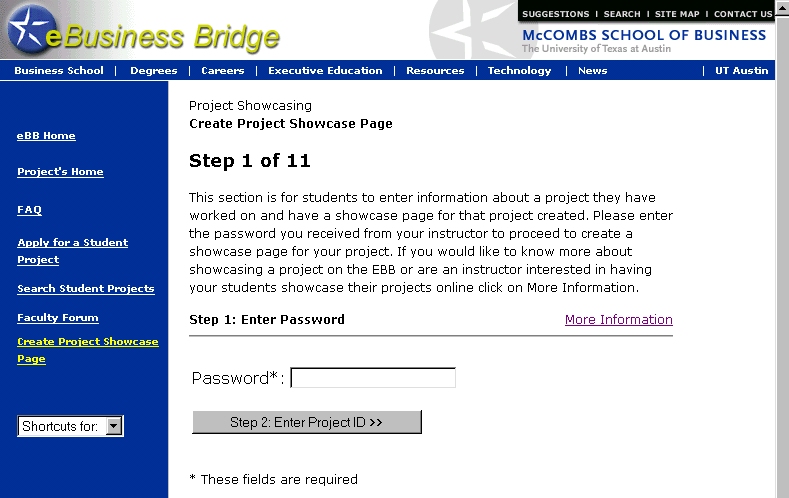
My group decided that the projects would be showcased in a one page executive summary format. When a student wants to have a project showcased they will go to the eBB web site and answer a series of questions via an online form. ASP will take the answers to the questions and create a preformatted html page that will become the executive summary. The html page will be stored on the eBB server.
Screenshot 1 | Screenshot 2 | Screenshot 3
Part 2: Searching for a Project
The search function looks much like an advance search you would find on a search engine. People can enter in criteria for projects they would like to view and then all projects that match the criteria will be displayed as links on the results page. The searcher can then click and view the executive summary for any project that interests the person. The search function works by searching a database using SQL and ASP technology.
Screenshot
Technology used for this project:
- ASP
- Visual Basic
- SQL
- Access
- HTML
- CSS